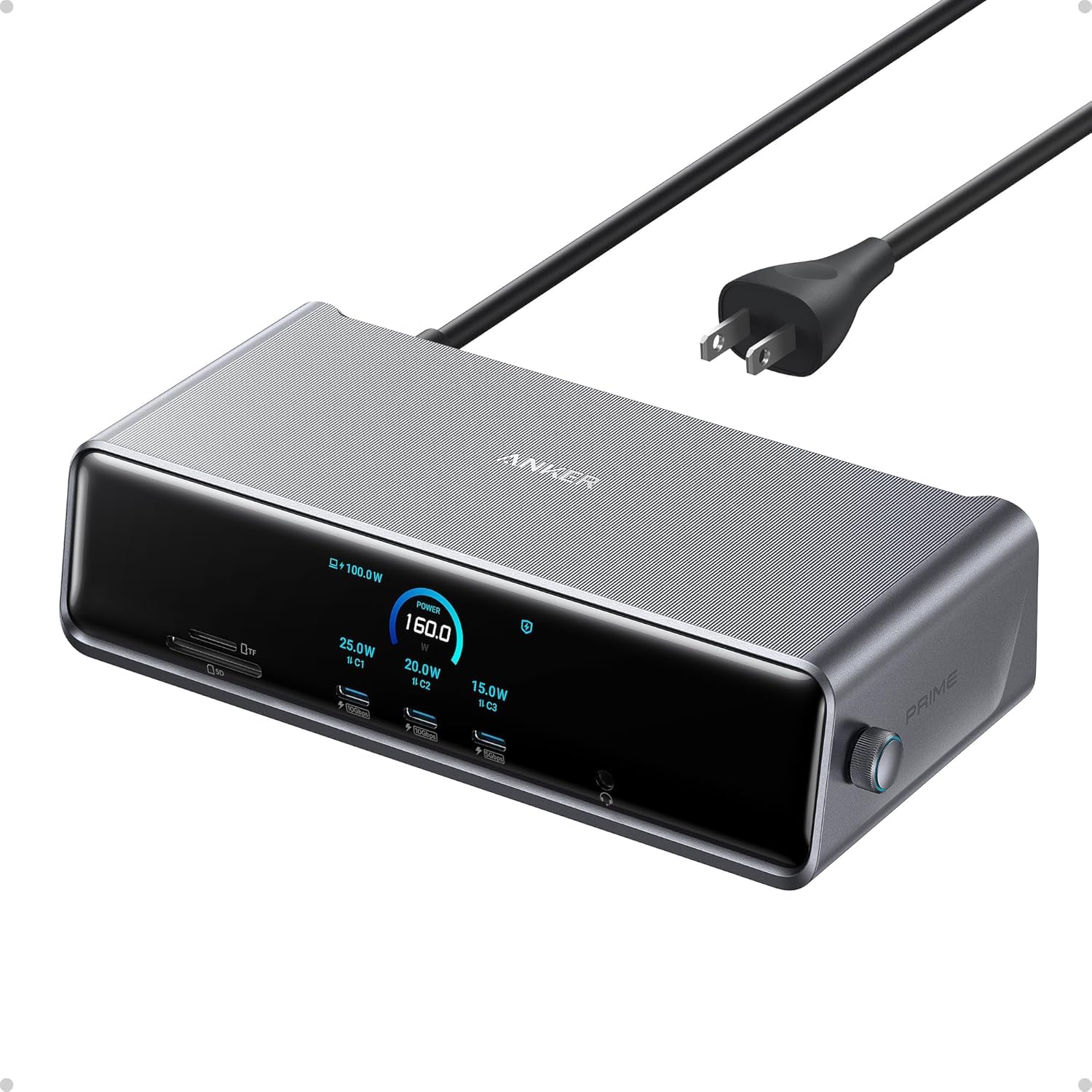
Modern laptops ship with two or three USB-C ports and nothing else. A dock turns one of those ports into a whole desk: monitors, keyboard, mouse, Ethernet, a card reader, and charging, all through a single cable you plug in when you sit down.
The market is a mess of near-identical products with confusing specs, and the wrong choice means a monitor that flickers or a laptop that slowly discharges while plugged in. We picked five from our catalog that owners rate a solid owner rating or better and explained who each one is for. We have not tested every one ourselves; the verdicts lean on the listed specs and on owner reviews. Prices are not printed because they change daily; every button opens the live Amazon page.
Hub or dock?
- A hub is small, unpowered or lightly powered, and plugs in when you need it. Good for one monitor and a few USB devices. Cheap.
- A dock has its own power supply, charges the laptop at full speed, and drives two or three monitors. It stays on the desk.
- Thunderbolt 4 / USB4 docks have far more bandwidth, which is what lets them run multiple high-resolution monitors at once. They only reach full speed on laptops with a Thunderbolt or USB4 port, which includes every Mac and most premium Windows laptops.
- Plain USB-C docks use DisplayLink or a single DisplayPort stream. They work on any USB-C laptop but multi-monitor support is more limited.
Two things to check before buying anything: how much charging power your laptop needs (a 14-inch needs around 65W, a 16-inch needs 90W or more), and whether your laptop’s USB-C port supports video output at all (look for a DisplayPort or Thunderbolt symbol next to it).
The picks

This is the hub that belongs in a laptop bag. It covers what a hotel desk or a client office throws at you: a monitor over HDMI at a proper 60Hz, wired gigabit internet, SD cards from a camera, and two USB-A ports for a mouse and a drive, with charging passed through at up to 85W. It works on USB-C, USB4 and Thunderbolt ports under Windows 10 and 11 and ChromeOS. tens of thousands of owner reviews give it a strong owner rating. It is not a desk dock: a second screen drops both to 30Hz, and Mac owners get mirrored external displays. For a hub that weighs 3.2 ounces, it is the one to get.
- One HDMI screen runs at 4K 60Hz, not the 30Hz cheaper hubs give you
- Gigabit Ethernet and SD and microSD readers in a 3.2-ounce hub
- Pass-through charging up to 85W so you lose no port
- tens of thousands of owner reviews, with a strong owner rating, the most reviewed pick here
- Two screens at once drop to 4K 30Hz each
- On macOS both external monitors show the same picture
- Needs your own 100W charger and USB-C cable; not compatible with Linux
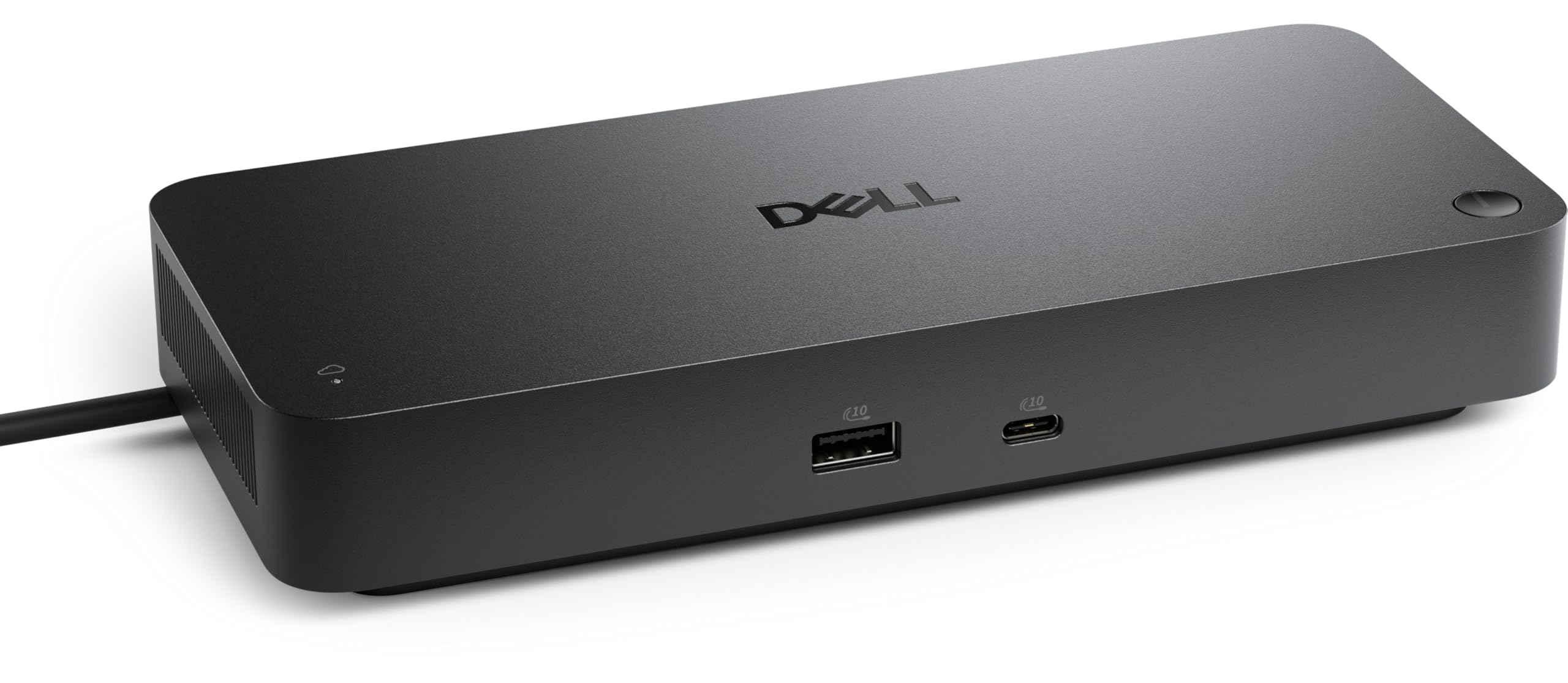
This is the dock for a Thunderbolt laptop that lives on a desk. One cable carries up to four 4K displays through the HDMI 2.1, two DisplayPort 1.4, USB-C and Thunderbolt 4 outputs, plus 2.5Gb Ethernet and charging: up to 130W for Dell laptops and 96W for everything else. The two Thunderbolt 4 ports can daisy-chain up to six devices. It is a business product, so it adds remote management over Wi-Fi and security features most home users will never touch. It is newer than the hubs here, with a smaller but consistent set of owner reviews with a solid owner rating.
- Runs up to four 4K monitors from one cable
- Charges Dell laptops at up to 130W and other brands at 96W
- Two Thunderbolt 4 ports that can chain up to six devices
- 2.5Gb Ethernet
- Expensive next to the hubs on this page
- Needs a Thunderbolt laptop for full performance
- a smaller but consistent set of owner reviews so far, with a solid owner rating, and the Wi-Fi management is for IT departments, not home users
Dell Pro Laptop Docking Station WD25, USB-C, 100W, DisplayPort, HDMI
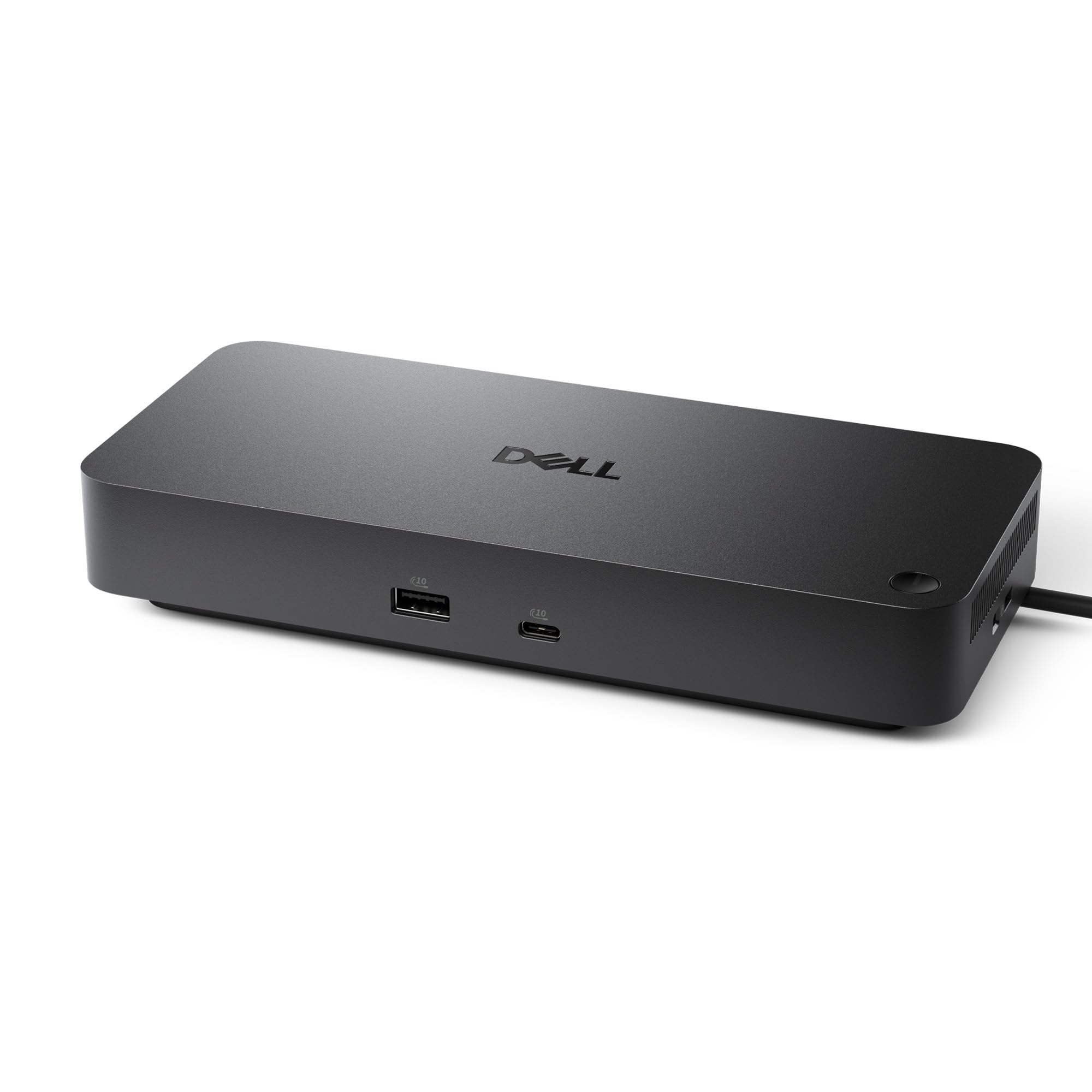
The WD25 is the dock for people whose laptop does not have Thunderbolt, or who do not need the Smart Dock’s extras. It is a powered dock rated at 130W that charges the laptop at up to 100W whether or not it is a Dell, and it supports up to four displays. The attached USB-C cable can be routed to either side of the dock. Dell lists Windows 10 and 11, Ubuntu, Red Hat and ChromeOS as supported and backs it for three years with advanced exchange. Owners give it a strong owner rating.
- Sends up to 100W to Dell and non-Dell laptops
- Native support for up to four displays
- USB-C cable can be routed to the left or the right
- 3-year warranty and a strong owner rating
- Costs several times what a hub does
- macOS is not on the supported list
- hundreds of owner reviews so far
USB C Docking Station Dual Monitor Laptop Docking Station 2 HDMI 4K DP 8K

If you want a desk full of ports without paying dock prices, this 15-in-1 from ZMUIPNG is the most popular option of its kind in our catalog, with thousands of owner reviews with a strong owner rating. It has two HDMI ports and a DisplayPort for up to three screens on Windows, five USB-A ports, a USB-C data port, gigabit Ethernet, SD and microSD readers and an audio jack. A single HDMI screen runs at 4K 60Hz. Charging is pass-through up to 100W, so you plug your own charger into it. It needs a Thunderbolt 3 or 4 port or a full-function USB-C port, and the listing warns that Macs only mirror.
- Three monitor outputs for the price of a hub
- Gigabit Ethernet, card readers and a 3.5 mm audio jack
- A button turns the screens off when you step away
- thousands of owner reviews, with a strong owner rating
- No power supply in the box; you need your own 100W charger
- macOS shows the same mirrored picture on every external monitor
- Little-known brand (ZMUIPNG) with a 1-year warranty
Acer USB-C Docking Station Dual Monitor, 9-in-1 Laptop Dock with 2 HDMI

Acer’s 9-in-1 is a bag-size hub like the Anker, and it trades the Ethernet port for better video: both HDMI outputs run at 4K 60Hz, where the Anker drops to 30Hz with two screens. You also get three USB-A ports and a USB-C data port at 5Gbps, SD and microSD readers, and pass-through charging that sends up to 90W to the laptop from a 100W charger. The body is aluminum and the built-in cable is short at 0.65 feet. Its solid owner rating from thousands of owner reviews is the lowest here, and your laptop, cables and monitors must all support HDMI 2.0 to get 60Hz.
- Both HDMI ports run at 4K 60Hz
- Aluminum body with a button that locks the computer
- Passes up to 90W to the laptop
- thousands of owner reviews
- No Ethernet port
- the lowest owner rating on this page
- macOS can only mirror, and the charger is not included
One more: three monitors from a bag-size dock
Acer Docking Station 3 Monitors with 3 HDMI, 13-in-1 USB C Hub for Laptop
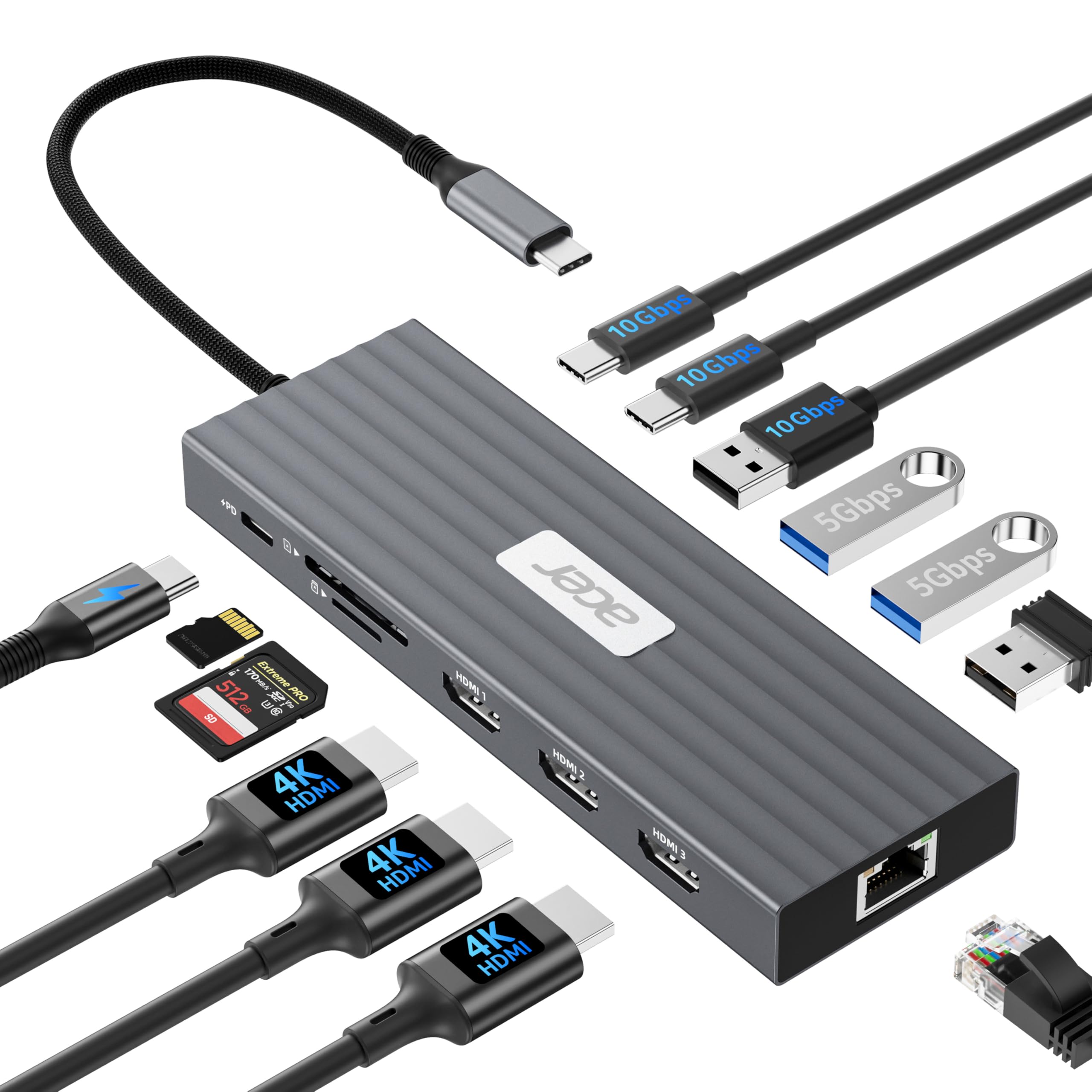
The Acer 13-in-1 is the cheap answer to the three-monitor question. It has three HDMI outputs, enough USB for a desk full of peripherals, a Gigabit Ethernet port and SD slots, and it passes up to 85W to the laptop when fed by a 100W charger. On a Windows laptop with DisplayPort Alt Mode it runs two 4K screens at 60Hz, and a third screen by sharing bandwidth, which is where the trade-offs start: with all three connected the resolutions step down, there is no DisplayPort for high refresh rate monitors, and some owners report the hub running warm or the third screen dropping out., with a solid owner rating it is rated below the rest of this page, so buy it for a two-plus-one setup on Windows and keep the 30-day window in mind. Mac owners should skip it: Apple Silicon mirrors every HDMI port on a hub like this.
- Three HDMI outputs at 4K 60Hz on one or two screens
- 13 ports including Gigabit Ethernet and 10Gbps USB-C
- Passes 85W to the laptop from a 100W charger
- Costs a fraction of a powered three-display dock
- Three screens at once share bandwidth, so resolutions drop
- Mirrors on base Apple Silicon MacBooks like every DP Alt Mode hub
- No DisplayPort, so 144Hz monitors are stuck at 60Hz
- a solid owner rating: some owners report heat and the third display dropping
Comparison at a glance
| Product | Type | Charging | Monitors | Our score | Our score | |
|---|---|---|---|---|---|---|
| Anker 8-in-1 USB-C HubAnker | Hub | Pass-through 85W | 1x 4K 60Hz or 2x 4K 30Hz | 9.0/10 | 9.0 | See price |
| Dell Pro Thunderbolt 4 Smart DockDell | Thunderbolt 4 dock | 130W Dell, 96W others | Up to 4x 4K | 8.4/10 | 8.4 | See price |
| Dell Pro Dock WD25Dell | USB-C dock | 100W | Up to 4 | 8.9/10 | 8.9 | See price |
| ZMUIPNG 15-in-1ZMUIPNG | Hub-style dock | Pass-through 100W | Up to 3 on Windows | 8.8/10 | 8.8 | See price |
| Acer 9-in-1Acer | Hub | Pass-through 90W | 2x 4K 60Hz | 8.2/10 | 8.2 | See price |
Thunderbolt 4 vs USB-C: which dock do you actually need
A USB-C dock or hub (Anker 8-in-1, Dell WD25, Acer 9-in-1, the ZMUIPNG 15-in-1) uses DisplayPort Alt Mode: the laptop sends video over the USB-C cable and the dock splits it. It works with almost every modern laptop, charges at 65-100W and drives one or two monitors at 4K 60Hz. A Thunderbolt 4 dock (Dell SD25TB4) moves 40Gbps, so it can run two 4K monitors at full refresh plus a 10Gbps SSD and Ethernet without sharing bandwidth, but it needs a Thunderbolt port on the laptop (most Intel ultrabooks and every MacBook since 2020; many AMD and budget laptops lack it). Rule of thumb: one monitor and a few accessories, buy USB-C; two 4K monitors plus fast storage, buy Thunderbolt.
MacBook owners: the dual-monitor catch
Apple Silicon MacBook Air and base MacBook Pro models drive only one external display over USB-C or Thunderbolt, however many HDMI ports the dock has. A dock with two HDMI ports mirrors the same image to both on these Macs. Two independent monitors need either an M1 Pro/Max or later chip, or a dock with DisplayLink (a software driver) instead of plain Alt Mode. If you are shopping for a Mac, our USB-C monitors for MacBook guide lists screens that charge the laptop directly and skip the dock entirely.
Best docking station by laptop
- MacBook Air or 14-inch MacBook Pro (base chip): one external display is the limit, so any hub works and a dock with two HDMI ports buys nothing. Pick the Anker 8-in-1 for travel or the Dell WD25 for a desk, and use the second HDMI for mirroring to a TV at most.
- MacBook Pro with Pro or Max chip: two or more displays through Thunderbolt. The Dell Pro Thunderbolt 4 Smart Dock SD25TB4 drives two 4K screens and charges the laptop.
- Dell XPS, Latitude, HP EliteBook, Lenovo ThinkPad with Thunderbolt 4: the SD25TB4 for a full desk, the WD25 if you only need two screens and 100W.
- Any USB-C laptop without Thunderbolt (most consumer Windows machines, Chromebooks): the Dell WD25 or the ZMUIPNG 15-in-1 at the desk, the Acer 9-in-1 or 13-in-1 for two or three HDMI screens on a budget.
- Gaming laptops with 180W-plus chargers: no dock charges them fully. Keep the laptop’s own brick and use any dock here for screens and data.
- Surface Pro and Surface Laptop: they use plain USB-C (Thunderbolt 4 on recent models), so the same rules as the Dell and HP lines apply.
Which ports matter
- Power Delivery wattage: the dock should supply at least what your charger does. 65W covers most 13-14-inch laptops; gaming and 16-inch machines need 100W, and some need their own brick regardless. See USB-C laptop chargers if the dock cannot keep up.
- HDMI 2.0 vs 2.1 / DisplayPort 1.4: HDMI 2.0 tops out at 4K 60Hz; a 144Hz monitor needs DisplayPort 1.4 or HDMI 2.1.
- Ethernet: a wired 1Gbps port is the single biggest upgrade for video calls on a laptop that otherwise lives on Wi-Fi.
- SD and microSD: only matters for cameras; the Anker and Acer hubs have both.
Docks also need power nearby, so a power strip with USB ports or a charging station keeps the desk tidy; pair the setup with a monitor arm and, if you travel, a portable monitor that runs over the same USB-C port. For the laptop side of the question, see laptops for programming.
Frequently asked questions
Why does my monitor only run at 30Hz through a hub?
Cheap hubs use HDMI 1.4, which caps 4K at 30Hz. Every pick here reaches 4K at 60Hz on one screen. With two screens the Anker drops to 30Hz each, while the Acer keeps both at 60Hz if the laptop, cables and monitors support HDMI 2.0. Also check that your laptop is set to DisplayPort 1.4 mode if it has the option.
Will a dock charge my laptop fully?
Only if it supplies at least what your laptop needs. Check your laptop charger wattage. A 65W laptop on an 85W hub is fine; a 140W gaming laptop on any of these will slowly discharge under load. The Anker, ZMUIPNG and Acer hubs pass power through from your own charger; the two Dell docks are powered docks that supply the laptop themselves.
Can a base MacBook Air run two external monitors?
Not as two separate desktops with the hubs on this page: the Anker, ZMUIPNG and Acer listings all say macOS shows the same picture on every external monitor. Extending to two screens on a base MacBook Air needs a DisplayLink dock with its driver installed. MacBook Pro models with Pro or Max chips can run two or more displays natively through a Thunderbolt dock.
Thunderbolt 4 or USB4?
For docks they behave almost the same. A Thunderbolt 4 dock works on a USB4 laptop and vice versa. Thunderbolt 4 is the stricter certification, so it is the safer label to look for.
Can a USB-C hub run two monitors?
On Windows laptops with DisplayPort Alt Mode, yes: hubs with two HDMI ports (Anker 8-in-1, Acer 9-in-1) run two independent 4K 60Hz screens on most Intel and AMD machines. On Apple Silicon MacBook Air and base Pro models they mirror, because those chips support one external display.
Docking station or USB-C hub: what is the difference?
A hub is bus-powered and small, passes your own charger through to the laptop, and usually drives one or two screens. A docking station has its own power supply, charges the laptop itself at 90-100W or more, and adds more ports and often more displays. For travel, a hub; for a desk you plug into daily, a dock.
Can one USB-C dock run three monitors?
On Windows laptops with DisplayPort Alt Mode, the ZMUIPNG 15-in-1 and the Acer 13-in-1 run three screens, with bandwidth shared so resolutions drop when all three are active. Thunderbolt 4 docks like the Dell SD25TB4 handle two 4K screens with full bandwidth. Apple Silicon MacBooks need a DisplayLink dock for more than one or two displays.
Why does my laptop charge slowly through the dock?
The dock keeps some of its own power budget for the ports. A 100W dock typically passes 85-90W to the laptop; a 65W dock passes about 60W. If the laptop came with a 100W or larger charger, keep that charger and use the dock for data and video.
The bottom line
Travel: Anker 8-in-1. Three screens on a Windows laptop for the least money: Acer 13-in-1. Desk with a Thunderbolt laptop: Dell Pro Thunderbolt 4 Smart Dock SD25TB4. Desk with any other laptop: Dell Pro Dock WD25, or the ZMUIPNG 15-in-1 if you would rather spend hub money. Two 4K screens from a bag-size hub: Acer 9-in-1.
Prices and stock change daily. The buttons above open Amazon so you always see the current price. We may earn a commission if you buy through them, at no extra cost to you.
Do Best Deal is a participant in the Amazon Services LLC Associates Program. As an Amazon Associate we earn from qualifying purchases. If you buy through links on this site we may earn a commission, at no extra cost to you. Learn more.