If you write code for a living, your keyboard is the tool you touch more than any other. A bad one gives you sore wrists and typos. A good one disappears, and that is the whole point.
This list is short on purpose. We went through the mechanical boards in our catalog and kept five, each the best at one specific thing: overall, budget, compact low-profile for Mac, a hot-swappable 75% board, and a layout with a numpad for people who need one. Every pick has a meaningful number of owner reviews and a solid owner rating or better. We have not typed on every one ourselves; the verdicts lean on the listed specs and on owner reviews. Prices are not printed because they change daily; every button opens the live Amazon page.
How we picked
Programmers need a few things that gamers and casual typists do not:
- A layout with arrow keys and Home/End/PgUp/PgDn. 60% boards hide these behind a function layer, which gets old fast when you navigate code all day. 75% is the sweet spot, and every pick here has dedicated arrows.
- Quiet or medium switches. Clicky blues are fun for ten minutes and then annoy everyone on your call.
- Mac and Windows support with the right modifier keys, because most of us switch between them. We say which picks are single-platform.
- Wireless that does not drop and a battery that lasts weeks, not days, or a plain cable that never needs charging.
- Keycaps that do not shine after three months. PBT over ABS where you can get it.
The picks

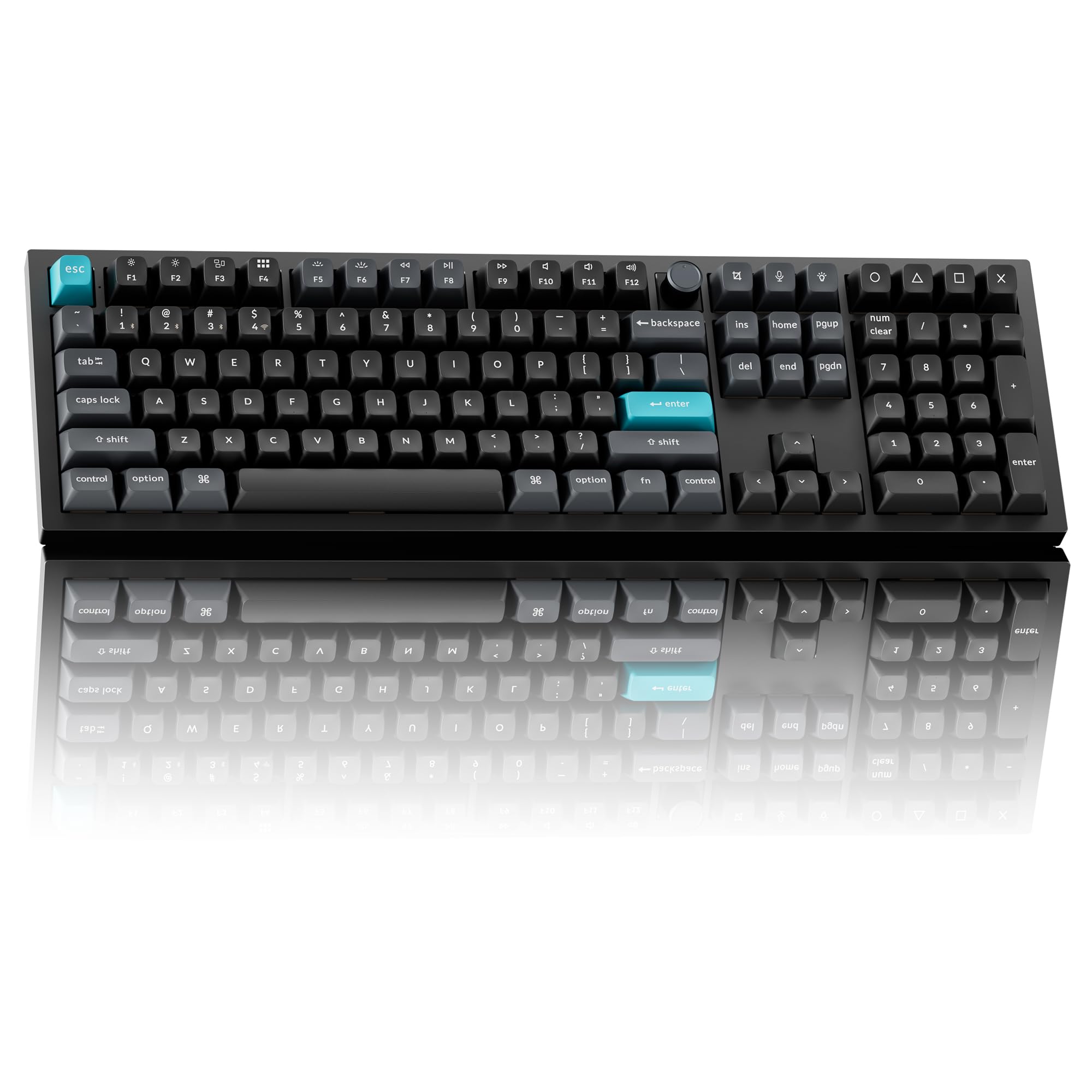
The MX Mechanical is the “just works” pick, and for most programmers that is the right priority. The low-profile Tactile Quiet switches are quiet enough for an open office, the backlight adjusts to the light around you, and it pairs with three devices over Bluetooth or the included Logi Bolt receiver, so one keyboard covers a work laptop, a desktop and a tablet. The battery charges over USB-C and lasts up to 15 days with the backlight on or months with it off. It is a full-size board with 104 keys and a metal top plate. Enthusiasts will find it a bit boring, and it is not a board you will mod. Owners give it an excellent owner rating across thousands of owner reviews.
- Tactile Quiet switches give a bump without the noise
- Pairs with up to three devices and switches with one tap
- Backlight adjusts itself to the room lighting
- Works with Windows, macOS, ChromeOS and iPadOS
- an excellent owner rating across thousands of owner reviews
- Not hot-swappable
- This listing ships in bulk packaging, not a retail box
- Low-profile keys feel different from a full-height board
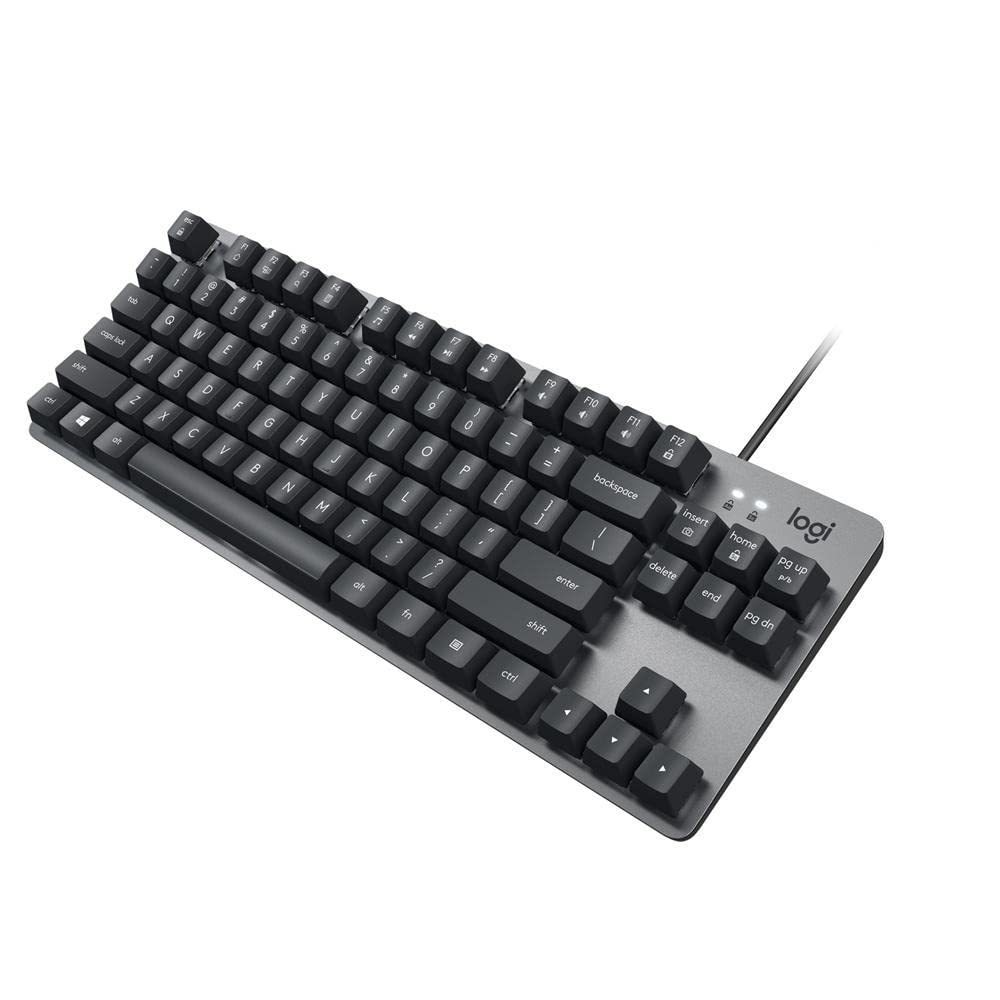
The K835 exists on this list because it is the cheapest keyboard here we would actually recommend. It is a tenkeyless board, so the number pad is gone but the arrow keys and the function row stay, which is the part that matters for code. The frame is aluminum, the linear red switches are rated for 50 million clicks, and adjustable tilt legs and a slim front edge keep the typing angle comfortable. It connects with a 5-foot USB cable and the listing names Windows only. There is no wireless and no software to learn. Owners give it an excellent owner rating.
- The cheapest pick here, with a real aluminum frame
- Keeps arrow keys and the function row in a small footprint
- 12 dual-function keys for media and shortcuts
- Never needs charging or pairing
- an excellent owner rating across hundreds of owner reviews
- Wired only
- The listing names Windows only
- No backlight is mentioned in the listing

If you switch between a MacBook keyboard and a desk keyboard, a normal-height mechanical board can feel like a step ladder. The MX Mechanical Mini for Mac fixes that with low-profile switches and a compact layout made for macOS. The Tactile Quiet switches have a bump you feel but barely hear, the backlight wakes when your hands come near, and it pairs with up to three Macs or iPads over Bluetooth. A full charge lasts up to 15 days, or up to 10 months with the backlight off. Owners give it the lowest owner rating on this page together with the Razer, so read recent reviews before you buy.
- Mac layout with the right modifier keys out of the box
- Low-profile mechanical keys that feel close to laptop height
- Backlight lights up when your hands approach and adapts to the room
- Switches between three Macs or iPads
- Made for macOS, iPadOS and iOS; Windows users should buy the universal MX Mechanical
- Bluetooth only in this Mac version
- a solid owner rating across hundreds of owner reviews is lower than the full-size model

This is the pick for people who want to tinker. The BlackWidow V4 75% has the layout we recommend for coding, with dedicated arrows and a function row, and a socketed board that takes 3-pin or 5-pin switches, so you can replace the stock Razer Orange tactile switches later without a soldering iron. The plate is gasket-mounted FR4 inside an aluminum case with two layers of sound-dampening foam. It has a multi-function roller and media keys, and a padded wrist rest snaps on magnetically. It is wired and sold as a gaming keyboard, and with a smaller but consistent set of owner reviews, with a solid owner rating it is the least proven pick here.
- 75% layout: arrows and function row in a compact body
- Swap the switches without soldering
- Gasket mount, lubricated stabilizers and two foam layers for a softer sound
- Magnetic leatherette wrist rest in the box
- 2-year warranty
- Wired only
- A gaming board with RGB underglow you may want to turn off
- a smaller but consistent set of owner reviews so far, with a solid owner rating

Most developers do not need a numpad. Data engineers, finance-adjacent developers and anyone who lives in spreadsheets absolutely do. The Alto Keys K98M squeezes 98 keys, numpad included, into a layout more compact than a standard 104-key board. The gasket mount, which Logitech calls UniCushion, absorbs vibration, the Marble switches are hot-swappable, and the battery lasts up to 12 months over Bluetooth or the Logi Bolt receiver and recharges over USB-C while you type. Logitech describes the feel as clicky and typewriter-like, so it is a better fit for a home office than an open-plan floor. Owners give it a strong owner rating.
- Keeps the numpad in a body smaller than a 104-key board
- Gasket mount absorbs vibration for smoother keystrokes
- Hot-swappable switches
- Up to 12 months of wireless use per charge
- Works with Windows and macOS
- Clicky typing sound is not ideal for calls or shared rooms
- White backlight only, no RGB
- a smaller but consistent set of owner reviews so far, with a strong owner rating
Comparison at a glance
| Product | Layout | Connection | Switches | Our score | Our score | |
|---|---|---|---|---|---|---|
| Logitech MX MechanicalLogitech | Full-size, 104 keys | Bluetooth + Bolt | Tactile Quiet, low-profile | 9.2/10 | 9.2 | See price |
| Logitech K835 TKLLogitech | Tenkeyless, 84 keys | USB wired | Linear Red | 9.2/10 | 9.2 | See price |
| Logitech MX Mechanical Mini for MacLogitech | Compact, Mac layout | Bluetooth | Tactile Quiet, low-profile | 8.4/10 | 8.4 | See price |
| Razer BlackWidow V4 75%Razer | 75%, 81 keys | USB wired | Orange tactile, hot-swap | 8.5/10 | 8.5 | See price |
| Logitech Alto Keys K98MLogitech | 98 keys with numpad | Bluetooth + Bolt | Marble, hot-swap, clicky | 8.8/10 | 8.8 | See price |
Which switch should a programmer get?
- Linear (Red): smooth, no bump. Good for fast typists who bottom out anyway. Quietest option. The K835 uses these.
- Tactile (Brown, Orange, Tactile Quiet): a small bump at the actuation point. The safe default for coding because you feel the keypress without noise. Both MX Mechanical boards and the Razer use tactile switches.
- Clicky (Blue): loud click. Satisfying alone, unpopular on calls and in shared spaces. The Alto Keys K98M leans this way.
If you are unsure, buy tactile.
Frequently asked questions
Is a mechanical keyboard actually better for programming?
It is not faster, but it is more comfortable over long sessions, more durable, and lets you choose a switch feel that suits how you type. Most developers who switch do not go back.
Do I need a 75% keyboard or is 60% fine?
For coding we recommend 75% or larger. Dedicated arrow keys and Home/End save hundreds of function-layer presses a day. 60% boards are great for portability but cost you navigation keys.
Wireless or wired for coding?
Modern wireless has no noticeable lag for typing. Bluetooth is fine, and a USB receiver like Logi Bolt is more reliable on a desktop PC. Wired is only necessary if you never want to think about charging.
What does hot-swappable mean, and do I need it?
A hot-swappable board has sockets, so switches pull out and push in without soldering. The Razer BlackWidow V4 75% and the Logitech Alto Keys K98M have it. It is useful if you want to try a different switch feel later or replace one worn key; if you would rather not fiddle, skip it.
The bottom line
For most programmers the Logitech MX Mechanical is the one to buy: quiet tactile switches, three-device wireless and a battery that lasts. If money is tight, the K835 TKL gets you into mechanical keyboards for very little. If you live on a MacBook, the MX Mechanical Mini for Mac will feel like home.
See the Logitech MX Mechanical on Amazon ↗Do Best Deal is a participant in the Amazon Services LLC Associates Program. As an Amazon Associate we earn from qualifying purchases. If you buy through links on this site we may earn a commission, at no extra cost to you. Learn more.