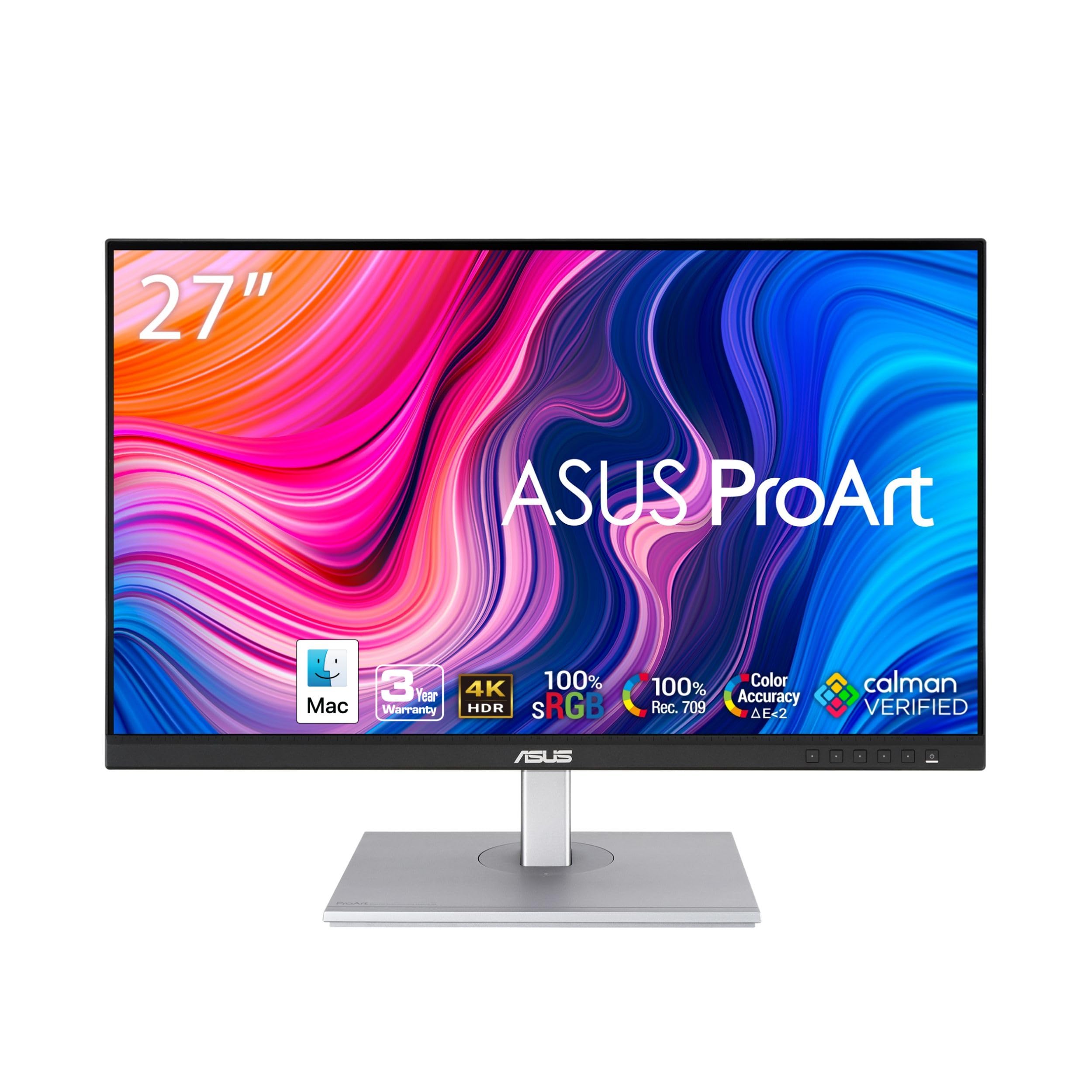
For text, 27 inches at 4K is the sweet spot. It is sharp enough that you cannot see pixels at normal viewing distance, large enough to put two documents side by side, and small enough that you do not have to turn your head. Most people who try it do not want to go back to 1440p.
We looked for monitors that get the basics right for work: an IPS panel with good text clarity, a matte finish that does not reflect the window behind you, and, where the budget allows, a USB-C port that charges a laptop with one cable and a stand that adjusts in height. Every pick is a 27-inch 3840×2160 IPS monitor from our catalog with a meaningful number of owner reviews and a solid owner rating or better. We have not tested them in person; the verdicts lean on the listed specs and on owner reviews. Prices are not printed because they change daily; every button opens the live Amazon page.
What to look for
- Panel type: IPS for accurate color and wide viewing angles. VA panels have better contrast but worse text clarity and ghosting.
- USB-C with Power Delivery: one cable carries video, data and charges the laptop. Look for 65W or more for a 14-inch laptop, 90W for a 16-inch.
- A real stand: height, tilt and pivot adjustment. A monitor at the wrong height is a neck problem waiting to happen.
- Matte coating: glossy looks nicer in a showroom and worse in every real room.
- Brightness of 350 nits or more: enough for a bright office. HDR badges on these monitors mostly mean nothing.
The picks

The S2725QS is the plain, good 4K work monitor on this list. The IPS panel covers 99% of sRGB with a 1500:1 contrast ratio, the screen is matte, the stand adjusts in height, pivot and swivel, and it runs at 120Hz with FreeSync Premium, which makes scrolling through code and documents noticeably smoother and leaves room for a game after work. Dell says the speakers have more output than the previous generation. What it lacks is USB-C: it connects over HDMI or DisplayPort, so it does not charge a laptop. If you dock through a separate hub, or use a desktop PC, that does not matter. Owners give it a strong owner rating across thousands of owner reviews.
- 4K at 120Hz, so scrolling and cursor motion are smoother than on 60Hz panels
- 1500:1 contrast is higher than a typical IPS panel
- Stand adjusts in height, pivot and swivel; speakers built in
- ComfortView Plus cuts blue light without shifting colors
- thousands of owner reviews, with a strong owner rating, the most reviewed pick here
- No USB-C, so the laptop needs its own charger
- sRGB color only, not a wide-gamut panel
- Ash white finish may not match a black desk setup
LG 27UP850-W Monitor 27 inch UHD (3840 x 2160) IPS Display, VESA DisplayHDR 400, DCI-P3 95% Color Gamut, USB-C

If your laptop has a USB-C port with video, this is the simple setup: one cable carries the picture, 96W of charging and the two USB ports on the back, so the keyboard and mouse plug into the monitor. 96W is enough for a 16-inch laptop under load, where 65W monitors let the battery drain slowly. The panel reaches 400 nits, covers 95% of DCI-P3 and carries DisplayHDR 400, and the stand adjusts in height, tilt and pivot. It is a long-running model that owners rate a strong owner rating.
- 96W USB-C charges 16-inch laptops properly
- Two USB ports for keyboard and mouse
- 95% DCI-P3 and 400 nits
- Pivots to portrait for reading code or documents
- Stand does not swivel
- 60Hz
- a strong owner rating across hundreds of owner reviews, a little below the Dell
ASUS ProArt PA279CRV 27 Inch 4K UHD USB-C HDR Professional Monitor

The PA279CRV is for people who code most of the day and also touch Photoshop, Figma or Lightroom. It ships factory calibrated and Calman Verified with a Delta E under 2, and it covers 99% of both DCI-P3 and Adobe RGB, which the other monitors here do not claim. It is also a complete desk hub: USB-C with 96W charging, a USB hub, and DisplayPort daisy-chaining for a second screen. The stand adjusts in height, tilt, swivel and pivot. ASUS backs it for three years, or five if you register online. Owners give it a solid owner rating across hundreds of owner reviews.
- Calman Verified and factory calibrated to Delta E under 2
- 99% DCI-P3 and 99% Adobe RGB coverage
- 96W USB-C plus a USB hub
- Daisy-chain a second monitor over DisplayPort
- Warranty extends to 5 years with online registration
- hundreds of owner reviews
- Costs more than the Dell S2725QS or the LG 27US500-W
- 60Hz
- the lowest owner rating on this page

The 27US500-W is what you buy when you want 4K text and nothing else. It is a 27-inch IPS panel at 3840×2160 with up to 90% DCI-P3 coverage and a matte finish, connected over HDMI or DisplayPort. LG’s OnScreen Control software splits the screen into zones with a few clicks. The savings show in the stand, which only tilts, and in the brightness, which tops out at 300 nits. Put it on an arm from our monitor arms guide and it is a very cheap way to get sharp text. Owners give it a strong owner rating.
- 4K IPS sharpness at the lowest price here
- Up to 90% DCI-P3 color
- Matte, borderless white design
- HDMI cable in the box
- a strong owner rating across hundreds of owner reviews
- Stand only tilts; budget for a monitor arm if you need height
- 300 nits is below our 350-nit target for bright rooms
- No USB-C and no USB ports

The U2725QE is a dock and a monitor in one box. Plug in one Thunderbolt 4 cable and the laptop gets video, up to 140W of charging, USB peripherals and a wired network connection, and you can chain up to two more 4K monitors from it. The IPS Black panel is calibrated to a Delta E under 1.5 with 99% DCI-P3 coverage, runs at 120Hz and reaches 450 nits, and an ambient light sensor adjusts brightness through the day. The stand moves in every direction. It costs far more than the other picks; it is also the one monitor here that does everything. Owners give it a strong owner rating.
- Thunderbolt 4 carries video, data and up to 140W over one cable
- 120Hz and factory calibration in the same monitor
- Built-in Ethernet and USB ports replace a dock
- Daisy-chains up to two more 4K monitors
- Highest rating here, with a strong owner rating
- The most expensive pick by a wide margin
- More monitor than plain office work needs
- a smaller but consistent set of owner reviews so far
Comparison at a glance
| Product | USB-C power | Refresh | Color | Our score | Our score | |
|---|---|---|---|---|---|---|
| Dell S2725QSDell | None (HDMI, DP) | 120Hz | 99% sRGB | 8.8/10 | 8.8 | See price |
| LG 27UP850-WLG | 96W | 60Hz | 95% DCI-P3 | 8.6/10 | 8.6 | See price |
| ASUS ProArt PA279CRVASUS | 96W | 60Hz | 99% DCI-P3, calibrated | 8.4/10 | 8.4 | See price |
| LG 27US500-WLG | None (HDMI, DP) | 60Hz | Up to 90% DCI-P3 | 8.8/10 | 8.8 | See price |
| Dell UltraSharp U2725QEDell | Thunderbolt 4, 140W | 120Hz | 99% DCI-P3, calibrated | 8.9/10 | 8.9 | See price |
4K vs 1440p at 27 inches
At 27 inches, 1440p gives you 109 pixels per inch; 4K gives you 163. The difference is obvious in text. On 1440p you can see the edges of letters if you look. On 4K at 150% scaling you get the same working space as 1440p with much crisper text, which is what makes long reading and coding sessions easier on the eyes.
The cost is graphics load. Driving 4K is harder on integrated laptop graphics, and some older laptops cannot output 4K at 60Hz over USB-C. Check your laptop’s spec before buying.
Frequently asked questions
Is 4K worth it for coding?
Yes. Text rendering is the biggest visible difference between 1440p and 4K at 27 inches, and coding is all text. Run it at 150% scaling for the best balance of space and sharpness.
Will USB-C charge my laptop?
If your laptop supports USB-C Power Delivery charging (most modern ultrabooks and MacBooks do) and the monitor supplies enough wattage. The LG 27UP850-W and ASUS PA279CRV supply 96W and the Dell U2725QE up to 140W; the Dell S2725QS and LG 27US500-W have no USB-C. Gaming laptops usually need their own charger.
Do I need 120Hz or 144Hz for work?
No. 60Hz is perfectly fine for text, spreadsheets and video calls. The two Dell picks run at 120Hz, which makes scrolling smoother and helps if you also play games, but it is a comfort, not a requirement.
Two 27-inch 4K monitors or one ultrawide?
Two 27s give you more total pixels and are cheaper. An ultrawide has no bezel in the middle. For coding and documents we prefer two 27s, one of them in portrait.
The bottom line
Most people should buy the Dell S2725QS. If you want one cable to a laptop, get the LG 27UP850-W for the 96W charging. If color accuracy matters, the ASUS ProArt PA279CRV is the one. On a tight budget, the LG 27US500-W; with a big one, the Dell UltraSharp U2725QE.
See the Dell S2725QS on Amazon ↗Do Best Deal is a participant in the Amazon Services LLC Associates Program. As an Amazon Associate we earn from qualifying purchases. If you buy through links on this site we may earn a commission, at no extra cost to you. Learn more.